

Markdown has become the universal language of structured writing. And no app has embraced it more fully than Obsidian — the note-taking tool that stores everything as plain Markdown files, links ideas together into a knowledge graph, and gives you complete ownership of your data.
Whether you're a developer documenting code, a researcher organizing papers, or a writer building a second brain, Obsidian's Markdown-first approach means your notes are future-proof, portable, and readable by any text editor. In this guide, we'll explore how Obsidian uses Markdown, what makes it special, and how tools like parsyra.com can help you bring all your existing documents into your Obsidian vault.
What is Obsidian?
Obsidian is a free, local-first note-taking application that stores your notes as plain .md (Markdown) files on your device. Unlike cloud-based tools like Notion or Google Docs, Obsidian doesn't lock your data in a proprietary format. Your notes are just files — open them in VS Code, read them on GitHub, or sync them however you like.
Key highlights:
- 100% local storage — Your notes live on your device, not someone else's server
- Plain Markdown files — No vendor lock-in, no proprietary formats
- Free for everyone — Since February 2025, even commercial use is free
- Thousands of plugins — Extend functionality with community-built plugins
- Cross-platform — Available on Windows, macOS, Linux, iOS, and Android
Obsidian's Markdown Syntax
Obsidian supports standard Markdown (CommonMark) plus several powerful extensions that make it ideal for building a connected knowledge base.
Standard Markdown
All the basics work exactly as you'd expect:
# Heading 1
## Heading 2
### Heading 3
**Bold text** and _italic text_
- Bullet list
- Another item
- Nested item
1. Numbered list
2. Second item
> Blockquote
\`inline code\`
[Link text](https://example.com)
Obsidian-Specific Extensions
What sets Obsidian apart is its extended Markdown syntax:
Wiki-Links
The double-bracket link is the heart of Obsidian:
Link to another note: [[My Other Note]]
Link with alias: [[My Other Note|display text]]
Link to a heading: [[My Other Note#Section]]
Embed a note: ![[My Other Note]]
Tags
Organize notes with inline tags:
#project/web #status/active #priority/highCallouts
Styled admonition blocks for highlighting information:
> [!note]
> This is a note callout

> [!warning]
> Be careful with this step

> [!tip]
> Here's a helpful tip
Task Lists
Track to-dos directly in your notes:
- [ ] Incomplete task
- [x] Completed task
- [ ] Another pending item
Footnotes, Math, and Diagrams
Here's a statement with a footnote[^1].
[^1]: This is the footnote content.

Inline math: $E = mc^2$

Block math:

$$
\\sum_{i=1}^{n} x_i = x_1 + x_2 + ... + x_n
$$
The Power of Linked Thinking

The real magic of Obsidian isn't just Markdown — it's what happens when you link notes together. Every [[wiki-link]] creates a bidirectional connection between two notes. Over time, your vault becomes a knowledge graph — a web of interconnected ideas that mirrors how your brain actually works.
Graph View
Obsidian's Graph View visualizes all the connections in your vault as an interactive network. You can:
- See clusters of related topics emerge naturally
- Discover unexpected connections between ideas
- Identify orphaned notes that need more context
- Filter by tags, folders, or search terms
Backlinks
When you link Note A to Note B, Obsidian automatically creates a backlink from B to A. This means you can always see which notes reference the current one — without manually maintaining cross-references.
Canvas
The Canvas feature gives you an infinite 2D space to arrange notes visually. Drag in existing notes, add new cards, draw connections, and embed images or web pages. It's perfect for brainstorming, project planning, or mapping out complex topics.
Writing and Editing in Obsidian
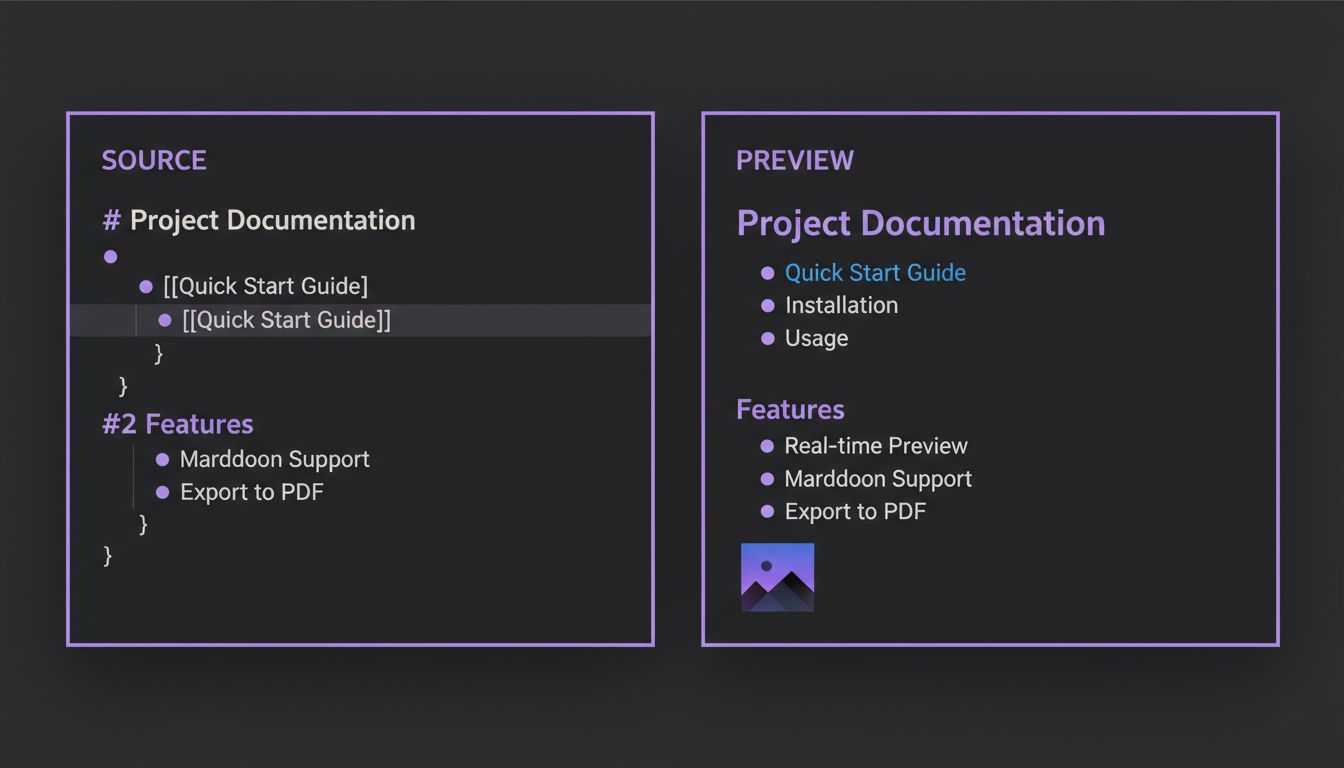
Obsidian offers three editing modes:
- Live Preview (default) — See formatted Markdown as you type, with syntax revealed when your cursor is on it
- Source Mode — Raw Markdown text, like a traditional code editor
- Reading Mode — Fully rendered view with no editing
The Live Preview mode is particularly well-designed. It renders headings, bold text, images, and links in real-time while still letting you see and edit the underlying Markdown when you click on any element. It's the best of both worlds.
Useful Keyboard Shortcuts
| Shortcut | Action |
|---|---|
Ctrl/Cmd + K | Insert link |
Ctrl/Cmd + B | Bold |
Ctrl/Cmd + I | Italic |
Ctrl/Cmd + E | Toggle edit/preview |
Ctrl/Cmd + O | Quick open note |
Ctrl/Cmd + P | Command palette |
[[ | Start wiki-link |
Essential Plugins
Obsidian's plugin ecosystem is massive, with over 2,000 community plugins. Here are the must-haves:
- Dataview — Query your notes like a database using a SQL-like syntax
- Templater — Create dynamic templates with JavaScript logic
- Calendar — Visual calendar for daily notes
- Excalidraw — Hand-drawn diagrams and sketches inside Obsidian
- Kanban — Turn Markdown lists into Kanban boards
- Tasks — Advanced task management across your vault
- Bases — The new core plugin that adds database-like views to your notes
Bringing Your Documents into Obsidian with Parsyra
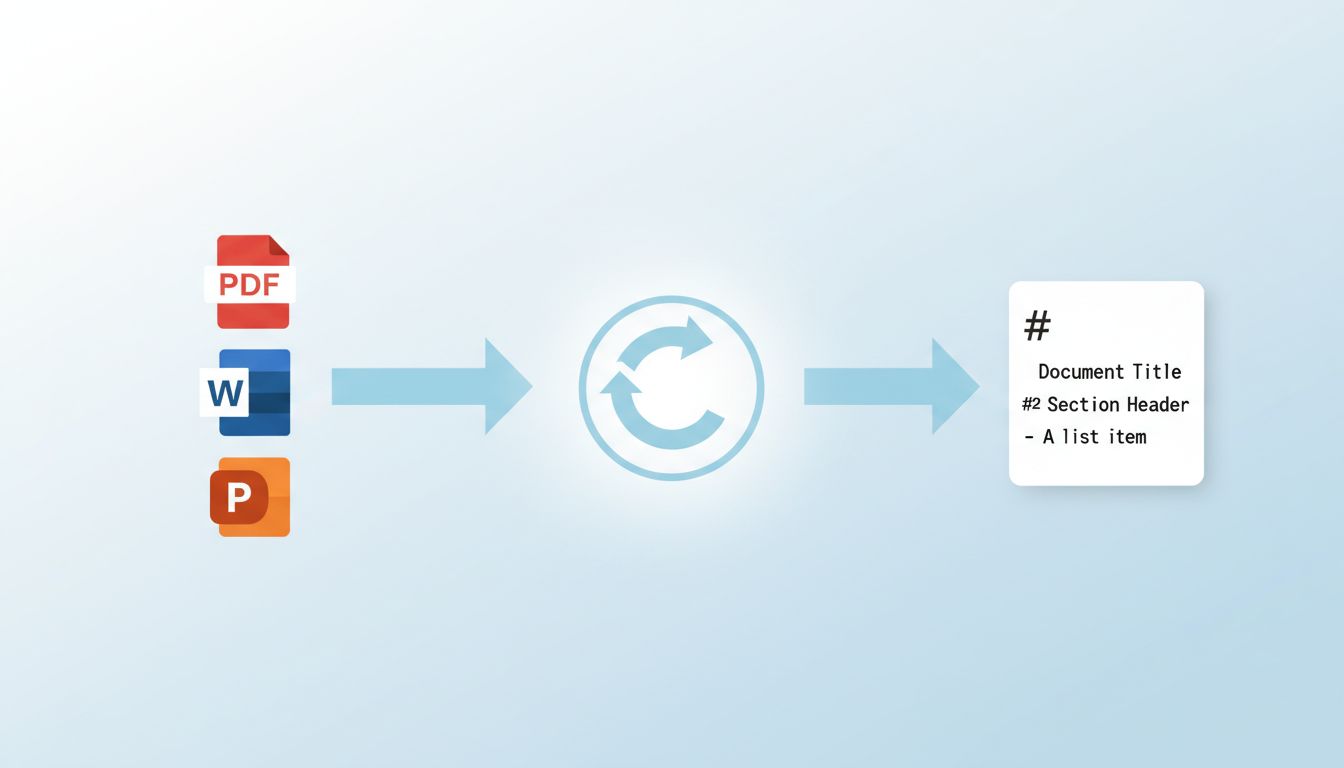
Here's a common challenge: you've decided to build your knowledge base in Obsidian, but your existing knowledge is scattered across PDFs, Word documents, PowerPoint presentations, and web pages. How do you get all of that into Markdown?
This is exactly what Parsyra solves — and what we've made accessible at parsyra.com.
The Problem
Your research papers are in PDF. Meeting notes are in Word. Presentations are in PowerPoint. Bookmarked articles are in HTML. None of these are Markdown, and manually converting them is tedious and error-prone.
The Solution
Parsyra converts virtually any document format to clean, structured Markdown:
# Convert a PDF research paper
Parsyra research-paper.pdf -o research-paper.md

# Convert meeting notes from Word
Parsyra meeting-notes.docx -o meeting-notes.md

# Convert a presentation
Parsyra quarterly-review.pptx -o quarterly-review.md
Or use the Python API for batch conversion:
from Parsyra import Parsyra
import os

md = Parsyra()

# Convert all PDFs in a folder
for filename in os.listdir("./papers"):
    if filename.endswith(".pdf"):
        result = md.convert(f"./papers/{filename}")
        output = filename.replace(".pdf", ".md")
        with open(f"./obsidian-vault/papers/{output}", "w") as f:
            f.write(result.text_content)
Why This Matters for Obsidian Users
Once your documents are in Markdown, you can:
- Drop them into your Obsidian vault — They're instantly searchable and linkable
- Add wiki-links — Connect converted documents to your existing notes
- Use Dataview — Query across both your notes and converted documents
- Maintain structure — Parsyra preserves headings, lists, tables, and links, so the converted files integrate naturally with your vault
Try It Online
Don't want to install Python? Visit parsyra.com to convert files directly in your browser. Upload a PDF, Word doc, or any supported format and get clean Markdown output — ready to paste into Obsidian, or to review first in the Markdown online editor.
Obsidian vs. Other Note-Taking Apps
| Feature | Obsidian | Notion | Roam Research | Logseq |
|---|---|---|---|---|
| Local storage | Yes | No | No | Yes |
| Plain Markdown | Yes | No | No | Partial |
| Free for all | Yes | Freemium | Paid | Yes |
| Graph view | Yes | No | Yes | Yes |
| Plugin ecosystem | 2000+ | Limited | Limited | Growing |
| Offline access | Full | Limited | No | Full |
| Data portability | Excellent | Poor | Poor | Good |
Obsidian wins on data ownership and portability. Your notes are plain files — no export needed, no API required, no migration headaches.
Getting Started with Obsidian
- Download Obsidian from obsidian.md (free for all platforms)
- Create a vault — Choose a folder on your computer to store notes
- Start writing — Create your first note in Markdown
- Link notes — Use
[[double brackets]]to connect ideas - Import existing docs — Use parsyra.com to convert PDFs, Word docs, and more to Markdown
- Explore plugins — Open Settings > Community Plugins to browse extensions
Conclusion
Obsidian proves that Markdown isn't just a formatting syntax — it's a foundation for building a personal knowledge base that you truly own. With local storage, plain text files, a powerful linking system, and thousands of plugins, Obsidian turns simple Markdown notes into a connected web of knowledge.
And when you need to bring existing documents into your vault, parsyra.com makes the conversion seamless. Convert your PDFs, presentations, and spreadsheets to clean Markdown, drop them into Obsidian, and start linking.
Ready to convert your documents? Try parsyra.com — free, instant, and no installation required.